Thursday, October 18, 2007

World Wind Eclipse RCP Geobrowser

WorldWind Java SDK applications are getting more and more interesting. Using the Eclipse platform, Vladimir Silva created worldwindrcp a 'geoweb browser' with full support for WMS 1.1.x and 1.3.x, KML ground overlays, screen overlays, and placemarks. It also supports animated ground overlays to visualize events over time. Nice work!


This is starting to look like the WorldWind .Net version...

The source code includes two eclipse projects: the World Wind RCP itself: org.eclipse.plugin.WorldWind/ and a set of WW contribution layers (Animated time loops, KML/WMS support etc): WWContrib-025/

See this WWJ forum thread about worldwindrcp.

Wednesday, October 10, 2007

World Wind Java 0.3 is out

It has been five month since WWJ 0.2 was released at the Java One conference last may. A lot of work has been done since by Tom Gaskins's team. Several code updates have been posted on the forum, so you may already have a good idea of what to expect.... so here comes the new and enhanced World Wind Java SDK 0.3 (.zip 13M) and Java Web Start Demo.

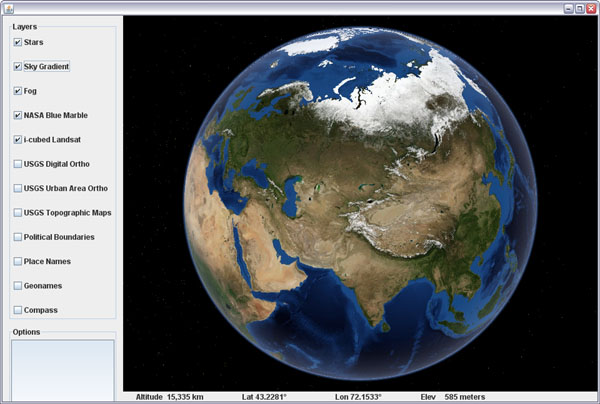
Example application template - globe


San Francisco - USGS Urban Ortho layer

Here is an unsorted list of changes i can think of:

Since 0.2.5

  • Polylines have had a major update. They can now gently follow the underlying terrain, avoiding intersections, and should become a viable alternative to SurfacePolylines. Some optimization is still needed though.
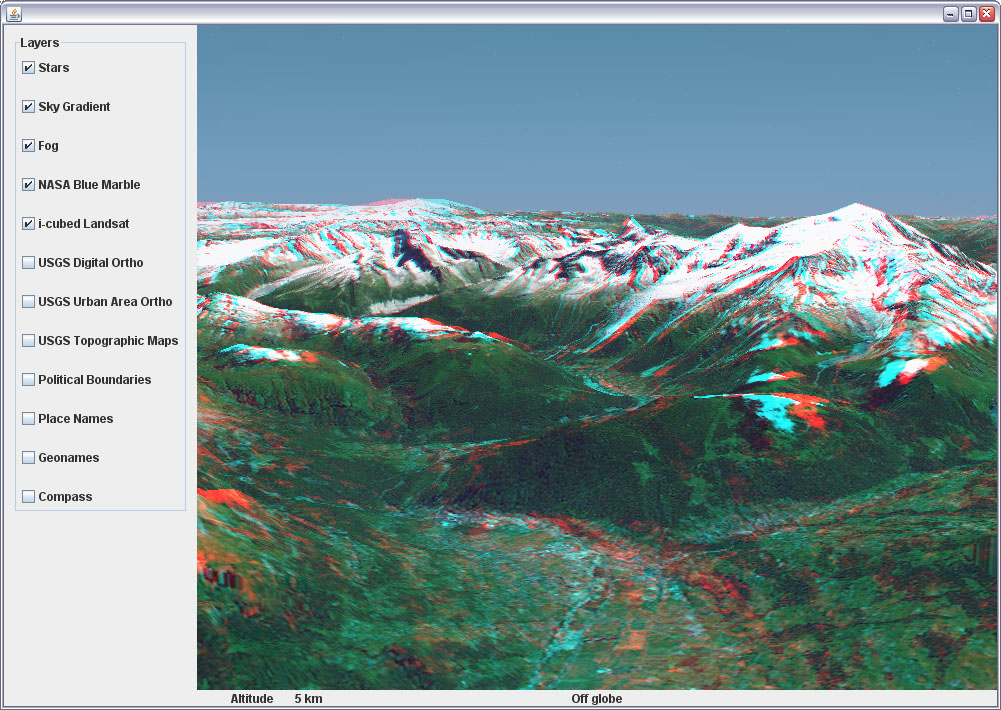
  • Stereo anaglyph capability has been added with a new AnaglyphSceneController and a corresponding example application.
  • The SkyGradientLayer has been incorporated and nicely teams up with the FogLayer to provide some atmospheric effects to the globe.
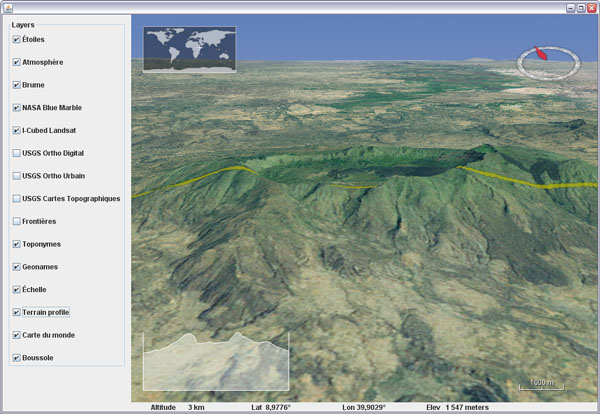
  • An interactive terrain profile tool has been added with a corresponding example.

Before 0.2.5

  • There was a Point class in 0.2.0 which has been replaced with Vec4. Most Point methods are available in Vec4, but with a '3' at the end of the name - eg: getLength3().
  • Some major reorganization has taken place in the packages structure with the addition of many - more categorized, sub-folders.
  • An example package has been added. It contains an application template with some basic components and a growing list of simple applications, each showing a particular feature of the SDK.
  • Applet templates, one using javascript interactions, have been added with appropriate deployment notes in the examples.
  • SurfaceShapes quality and diversity have been improved - see Shapes example.
  • Mouse dragging support of objects has been added - see DraggingShapes example.
  • There has been major enhancements to the OrbitView with, among other things, the addition of ViewStateIterators, Animators and Interpolators. Click on the world map to see it in action or have a look at the WWJApplet javascript API.
  • Memory management and garbage collection have been greatly improved, reducing significantly the memory footprint.
  • Tools to access WMS servers have been added - see WMSLayerManager example.
  • Single image layers have been incorporated - useful for applets faster load-and-start. See StartupImage example and BMNGOneImage layer.
  • Stars, world map, scale bar, fog and sky color layers have been incorporated.
  • Support for runtime statistics has been added - see RuntimeStatistics example.
  • A Worldwind.shutdown method has been added
  • Support of tabbed panes and other potentially tricky UI configurations has been improved - see UsageInTabbedPane example.
  • Ground and air tracks support and rendering has been added - see PipeTracks example.
  • New USGS and Earth Observatory layers have been added.
  • Spherical and ellipsoidal triangle methods have been added to LatLon and Position classes.

There are surely many other improvements and bug fixes i'm forgetting here...

Check this World Wind Java forum thread for the release readme.txt and follow up comments. Also: WorldWind Java home page at NASA Learning Technologies and World Wind Central.

More screenshots:

Tracks and pipes example

Polylines following terrain - Shapes example

Tracks example

WMS Layer Manager example

Terrain profiler example

Anaglyph stereo example

Atmosphere entry over New Zeland

Thursday, October 4, 2007

French geology layer for WWJ

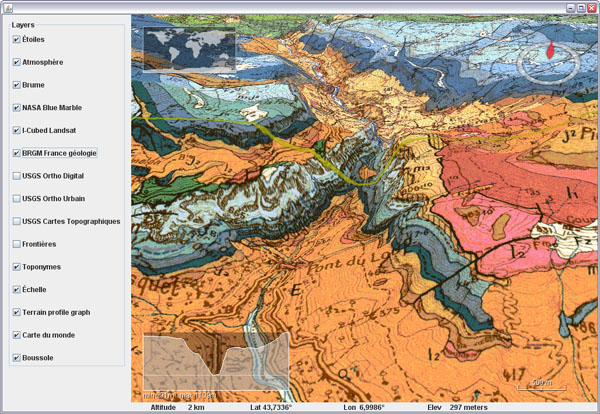
Here is a WMS layer to get access to the french BRGM geology maps in WWJ.


Download BRGMGeologyLayer.java and add it to the worldwind.layers.earth package, after removing the .txt extension. In BasicDemo add the layer on top of I3 Landsat, like the USGS layers. It will start to show tiles under 100km altitude.

This layer was already accessible through the WWXMLLayer code i posted last may, but some major refactoring have occured inside the SDK since then and i havent migrated the code yet.

Tuesday, October 2, 2007

Real time terrain cross section in WWJ

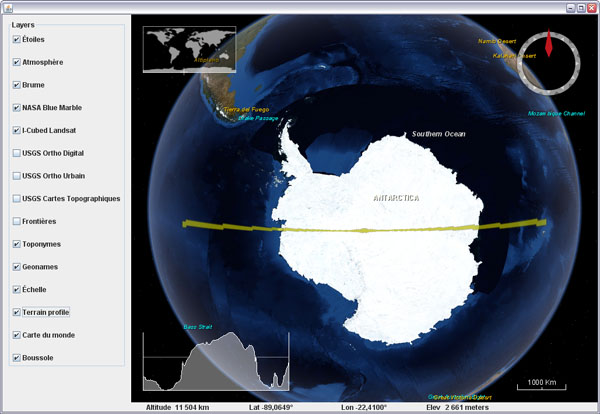
What does Antarctica looks like if you slice it in two?

Here is a fun visualization tool prototype layer for WWJ. It displays a real time terrain profile in a screen corner. The section plane itself will either follow the view position or the mouse cursor, allowing you to 'scan' entire continents, oceans and mountain ranges at any scale in a single hand gesture.


Download TerrainProfileLayer.java (updated oct. 30) and add it to worldwind.layers.earth, after removing the .txt extension. In BasicDemo, add the layer before or after the compass. Important: this layer implements a PositionListener and needs to have its event source set before it will operate:
new BasicDemo.LayerAction(new TerrainProfileLayer(), true),
new BasicDemo.LayerAction(new CompassLayer(), true)
...
for (BasicDemo.LayerAction action : layers) {
   ...
   if (action.layer instanceof TerrainProfileLayer)
      ((TerrainProfileLayer)action.layer).setEventSource(this.wwd);
}


You can set the profile graph to maintain the distance/elevation proportion to have exact slopes (not the case in the above screenshot though), but it is a lot less fun for wide range sections.

Friday, September 28, 2007

Text and messages translation in WWJ

In the WWJ SDK you may have noticed a file named MessageStrings.properties and several others named the same but with an extra two characters country code like de, ja,or zh. These are simple text files that contain all the constant character strings for one language. WWJ will use the one that has the same country code as your computer settings.


To have WWJ 'speak' your tongue, just make a copy of the default english file - the only one that contains all the messages, and name it MessageStrings_xx.properties, xx being your country code. Then translate the messages you want and delete all the others. You dont need to have all the messages translated in your file, the missing ones will fall back to english.

Note that special characters must be specified as Unicode hexadecimal numbers (eg. \u00c9 for 'É').

Here is a portion of a french property file with translated layer names. Get MessageStrings_fr.properties, and after removing the .txt extension, place it with the other MessageStrings files. Run one of the demo or example applications.

Also note that this doesnt translate the placenames...

Tuesday, September 25, 2007

3D stereo anaglyph view in WWJ

3D graphics are great, but stereo 3D is even better. Here is a quickly put together AnaglyphSceneController for WWJ. Is is to be used in place of the BasicSceneController from the SDK and will produce real time red/cyan anaglyphs whenever the view is pitched more than twenty degrees.


Download AnaglyphSceneController.java (updated sept 27) and add it to src.gov.nasa.worldwind - after removing the .txt extension. To use it, edit src.config.worldwind.properties and change the class name for the gov.nasa.worldwind.avkey.SceneControllerClassName entry:

gov.nasa.worldwind.avkey.SceneControllerClassName
                =gov.nasa.worldwind.AnaglyphSceneController


Overall it works reasonably well considering the amount of code - its quite simple. However, the stereo effect tends to shift when the view is being moved or rotated, but it eventually settles down to the proper settings when you stop moving around.


You need red and cyan glasses (with the red filter on the left eye) to view those anaglyphs. Caution, you may quickly feel sick... reduce the focusAngle to 1.5 or 1 degree if the stereo separation is too sharp.

Enjoy the world in real 3D ;)

World Wind Java forum tread.

Monday, September 24, 2007

Sky gradient and atmosphere for WWJ

Here is a preview of the SkyGradientLayer for WWJ. It works very well with the fog and stars layers, and makes for some nice screenshots. Still needs some tuning and cleanup though.


Download SkyGradientLayer.java (updated sept 27) and add it to the layers.earth package of the SDK - after removing the .txt extension.


The layer should be placed between the stars and the fog like : stars, sky gradient, fog, blue marble, I3 Landsat...

World Wind Java forum tread.

Saturday, September 22, 2007

Saving a WWJ layer tiles composite

Many have asked on the WW forum how to 'extract' a portion of a layer imagery and save it for further use with other applications. It happens that WWJ has a built in public method in TiledImageLayer that does exactly that - at least the hard part of it, the tiles retrieval and composition. All what's left to do is save the composited BufferedImage.

Here is some test code:

// Save a composite of a layer's tiles into a file
private void saveImageForSector(TiledImageLayer layer)
{
int imageSize = 1024; // Saved image max dimension
int level = 0; // level number (-1 = best)
Sector sector = new Sector(
Angle.fromDegrees(43.4), Angle.fromDegrees(44.4),
Angle.fromDegrees(6), Angle.fromDegrees(8));
java.awt.image.BufferedImage image =
layer.composeImageForSector(sector, imageSize, level);
try
{
javax.imageio.ImageIO.write(image, "png",
new java.io.File("SavedImageSector.png"));
}
catch (IOException e) {}
}

The above method needs a TiledImageLayer reference - the like of BMNGSurfaceLayer or LandsatI3. The level number must take into account the layer empty levels: if it has 10 levels with 4 empty ones then the first real level is 4, the second 5 and so on until 9. Chosing level zero will always give you the first non empty level anyway.

The composeImageForSector() method does quite a tedious work of tracking down all the tiles needed and will trigger download requests if necessary. It will then scale and paste each of them into the final image.

It works but would probably need some tuning, as you seem to quickly run out of memory when dealing with larger numbers of tiles or larger output dimensions. The final composited image quality may vary a lot too, depending on how much scaling has been applied to the original tiles... so dont expect too much ;)

Monday, September 17, 2007

Community maintained geotags in a WWJ applet

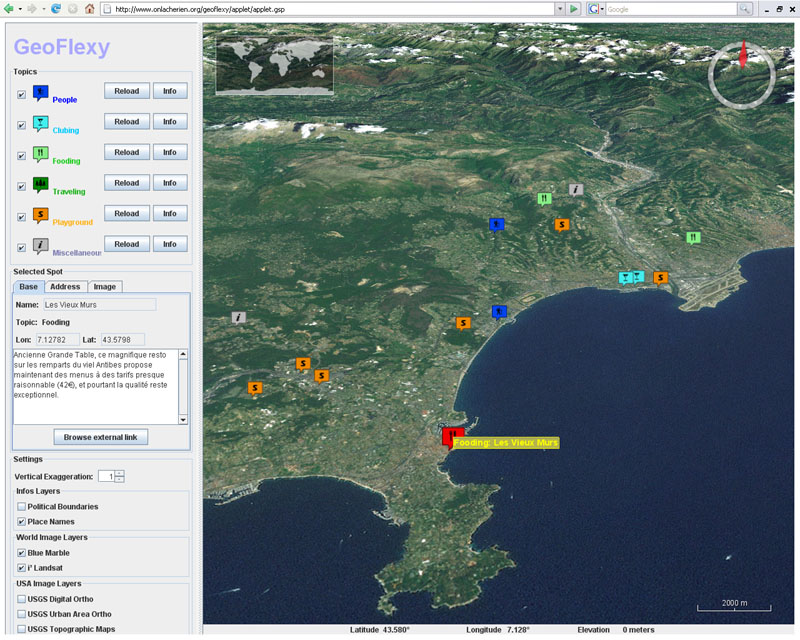
And again a new World Wind Java applet is online. GeoFlexy is a web site that lets you add community shared geographic tags and view them over a 2D Google Map or a 3D WWJ applet.

The 'spots' can be added by navigating a map and filling a form with description, address, Zip code and other informations, including one picture and a link to a web site.

Developed by turman a forum contributor, the site as of now is more an experiment than a fully operational community portal, but it is the most interesting WWJ applet usage i've seen so far.

Thursday, August 30, 2007

Italian Alps at 1m in a WWJ applet

Andrea Caporin from GIS Solution recently posted a link to a WWJ applet showing a 1m resolution image set near Bressanone in the italian Alps - just north of Venice. It is nice to see WWJ with some higher resolution imagery in such mountainous areas.


I wouldnt think this particular image set is public domain though...

WWJ forum thread...