Saturday, November 24, 2007

WWJ Bug Exhibition

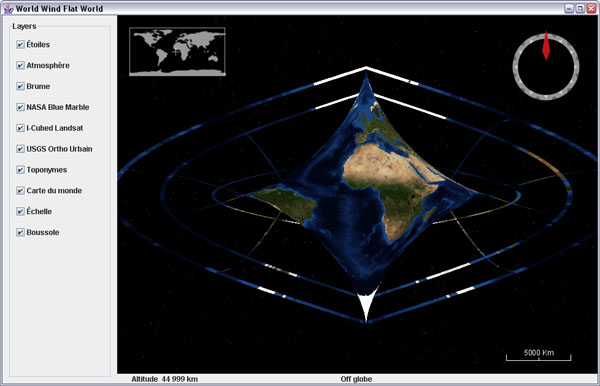
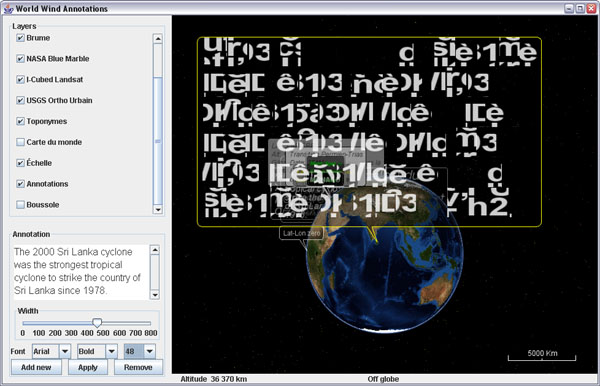
Sometime things go wrong. In most occurrence it doesn't produce anything more than irritation, but on rare occasions it can also lead to quite unexpected or intriguing results. Here are a few screenshots captured in such moments:


The 'globe back flip' made a fugitive appearance recently. New Zealand was on top of the world at last.


What came to be known as the Butterfly World emerged spontaneously from a wrong modification of the sinusoidal projection in flat worlds... i was expecting more of an oval shape, and there it came out. I took the screenshot and corrected the code. We will never know what was the formula. Chaos and butterflies, what a cliché.


The bold garbled text bubble briefly showed up during annotations development, while challenging JOGL text renderer with lots of larger fonts. What powerful message is hidden in this unknown dialect?

I cant help but feel there is something far reaching in the symbol. At a private showing in New York, someone fainted and a guest got so agitated he had to be helped out. "The big void in the middle of the first line is very unsettling i admit" declared the embarrassed host.
Sunday, November 11, 2007

WMS Layers on iPod Touch

Almost two weeks since i got the IPT and so little time to hack into it... I still havent managed to install the iPhone applications but i got it 'jailbreaked' and have a Finder now with a couple additional icons. However it will probably not last long with the coming firmware updates...

It is quite exciting to see that the little tablet is a 400Mz OS X platform. There are already many sites dedicated to using the touch or the phone as an 'open', mobile, computing device and many applications are coming.

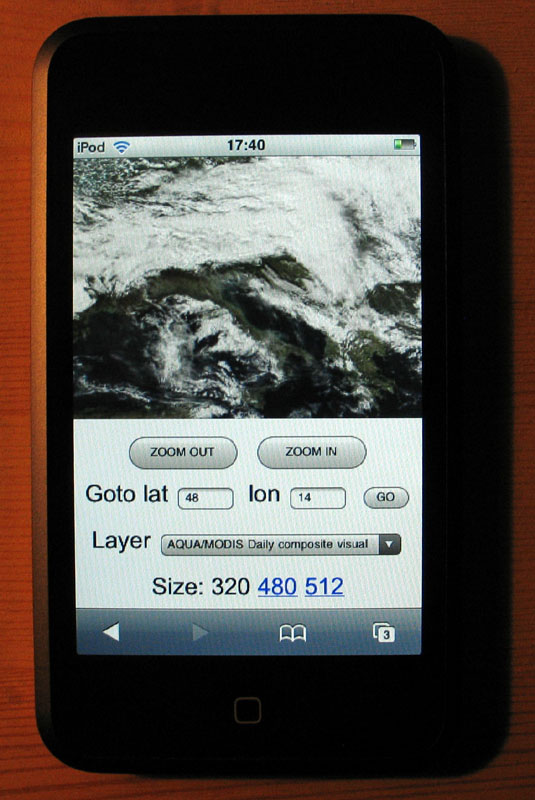
Blue Marble Next Generation on iPod Touch
Actually, the easiest way to make an application for these device is to use html and javascript with Mobile Safari. These are so called 'web applications'.

So back to Notepad and some good old school javascript, i put together a very simple mobile WMS browser (updated november 16).

This is not World Wind but at least you can browse a couple WMS layers i grabbed from the WMSLayerManager example in the WW Java SDK: Blue Marble Next Generation (june 2004), Blue Marble 'classic', Landsat7 I3, Global mosaic 15m visual, Terra/Aqua daily shots and a few others (including France BRGM geology and USGS layers).

Have a look at the source - its all contained in one page and it is very easy to add more layers. Feel free to copy, edit, reuse and abuse ;)

Tapping (or clicking) on the edges or corners of the tile will have you move sideways or in diagonal. Tapping inside the image will zoom on the corresponding latitude and longitude.

Some controls at the bottom let you zoom out, goto a specified latitude and longitude and select different layers. Still a bit crude, but usable... and you can put (and share) bookmarks anytime.

The page has to be hosted somewhere though. I wonder if it could simply be transfered in the IPT and opened locally with Mobile Safari. Probably easy to do if you know a bit OS X or Linux...

Thursday, November 1, 2007

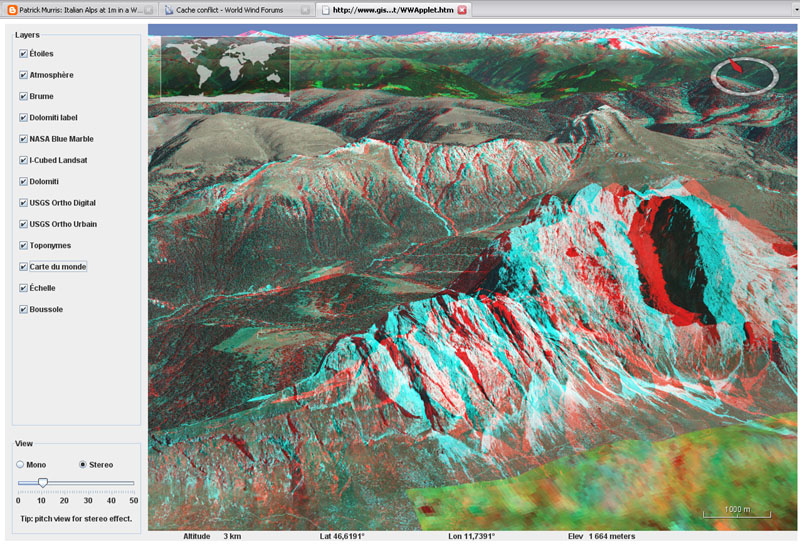
Stereo anaglyph WorldWind Java applet online

Andrea Caporin from GIS Solution, Italy, upgraded his WWJ applet demo to 0.3 and had the good idea to include the new anaglyph scene controller and controls. The italian Alps are gorgeous in stereo...


As far as i know this is the only stereo virtual globe you can find online...

Tuesday, October 30, 2007

WWJ on iPod Touch: when will it be ?

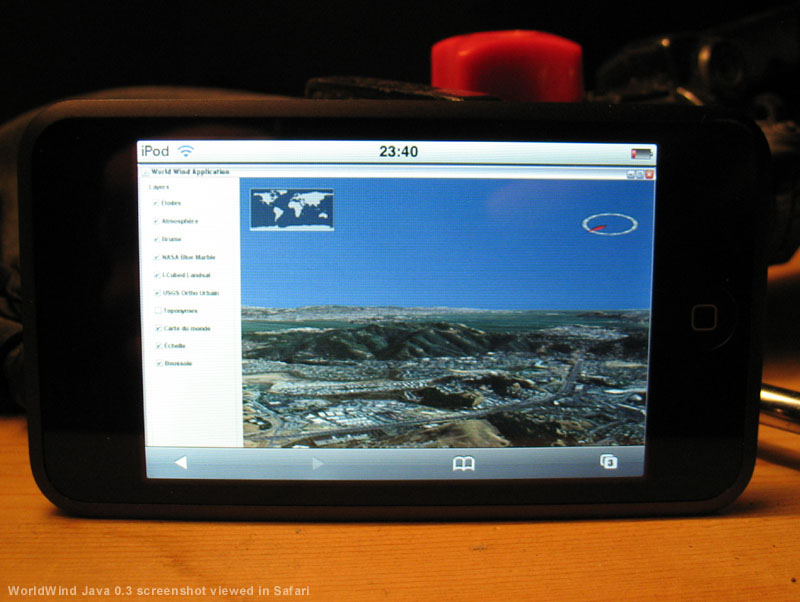
OK, i admit, i bought one this afternoon, and i cannot resist to show off a mock up of WorldWind Java on the iPod Touch beautiful screen:


It seems inevitable that Java will run one day on this device, considering the constant efforts from Sun to provide virtual machines and API for the increasingly powerful mobile gadgets we have these days. Now to get Open GL and JOGL decently running will be another challenge...

Thursday, October 25, 2007

A couple tricks to speed up WWJ

There are many applications where you only need the globe without elevation details - think satellite tracking or global imagery viewing, and others where you are ready to give up a bit of relief geometry details for a faster interaction.

If that is the case, there are two ways you can help yourself.

Using a full sphere SurfaceImage

One feature that has been incorporated a few month ago allows you to use a single image and paint it over the globe inside a sector or over the full sphere. This allows you to trade the BMNG tiled image layer for a single image BMNG layer - that is also included in the worldwind.jar, which results in a faster startup time and 'lighter' globe to interact with.
// From examples.applet.WWJApplet
// Add a BMNG base layer to the model layer
// list, before the Blue Marble
insertBeforeLayerName(this.wwd,
        new BMNGOneImage(), "Blue Marble");

Of course, if you zoom onto that layer, you will not get better details as with the tiled version... unless you also have it on top. The wwj applet example uses that one-image layer.

Hacking the tesselator

If you have a look at the actual default configuration EllipsoidRectangularTessellator in globe, you will notice right at the start a static constant named DEFAULT_DENSITY with the value 24. This class is responsible for building the terrain geometry using regular lat/lon aligned (rectangular) tiles each segmented like a check board in rows and columns. With the default density, there are 24 rows and columns per tiles.
// From EllipsoidRectangularTessellator
private static final int DEFAULT_DENSITY = 3; // 24;

The density determines how fine - and accurate, the terrain relief will look. However, you would be surprised to see that with a density value as low as 3 the terrain still displays very decent mountains and relief... and WWJ gets much more responsive.

Update march 22, 2008: After further scrutiny, it appears i was wrong about what i though the density value would control. When decreasing this value, it does indeed reduce the number of rows and columns per tile, but then the tiles are smaller - and there are more of them, which results in many more 'skirts' or tile sides to render, and doesn't change the geometry level of detail...

What does matter is another value named DEFAULT_LOG10_RESOLUTION_TARGET and located in the upper portion (but not the beginning) of the globe.RectangularTesselator.

// From globes.RectangularTesselator.java
private static final double 
      DEFAULT_LOG10_RESOLUTION_TARGET = 1.3;


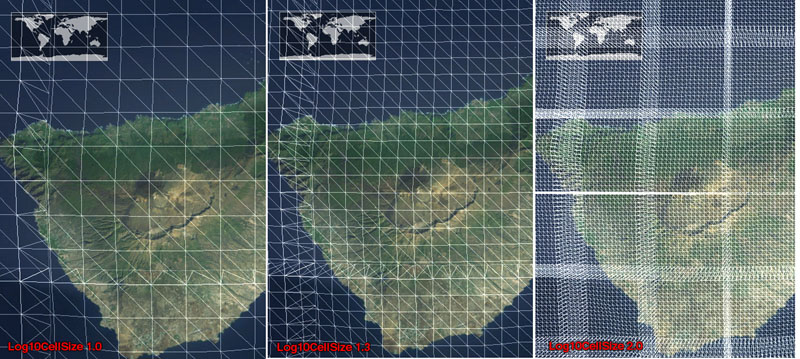
This one will indeed control the mesh 'density' - see screenshot below.

Log10 resolution: 1.0 (left), default 1.3 (center) and 2.0 (right)

There is no public interface yet to access and change the tessellator density (or log10 resolution) setting(s) - i'll push for one to be implemented at some point. So all you can do for now is either edit the SDK source or clone the tessellator in your own package, change the setting and refer to it in the WWJ config file worldwind.properties.

Sunday, October 21, 2007

Flat worlds and annotations coming to WWJ

Here is a preview of coming features for WWJ 0.3.x...

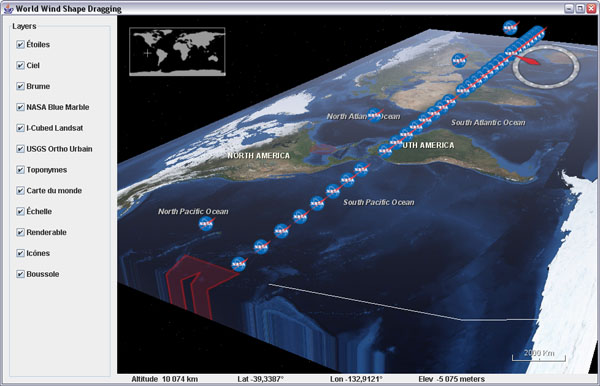
Dragging shapes example on 'plate carrée' world

Flat worlds are still in the experimental stage but should ultimately allow to have both a 'cartographic' flat global view of the globe and 3D terrain. Various projections of the world should also become available. Quite fun and interesting.

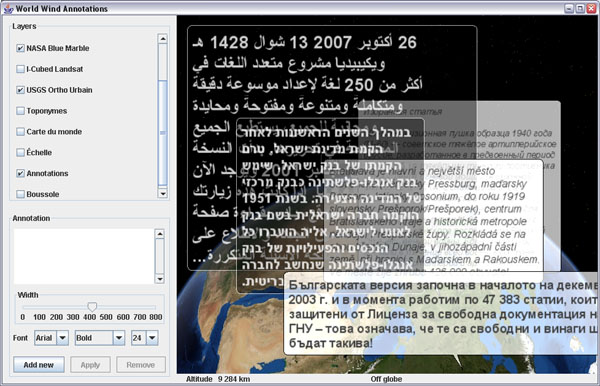
Annotation tests

Comic books bubble annotations are on their way too. They will come with a simple general purpose multi-line text renderer and wrapper some have been asking for ;)

Thursday, October 18, 2007

World Wind Eclipse RCP Geobrowser

WorldWind Java SDK applications are getting more and more interesting. Using the Eclipse platform, Vladimir Silva created worldwindrcp a 'geoweb browser' with full support for WMS 1.1.x and 1.3.x, KML ground overlays, screen overlays, and placemarks. It also supports animated ground overlays to visualize events over time. Nice work!


This is starting to look like the WorldWind .Net version...

The source code includes two eclipse projects: the World Wind RCP itself: org.eclipse.plugin.WorldWind/ and a set of WW contribution layers (Animated time loops, KML/WMS support etc): WWContrib-025/

See this WWJ forum thread about worldwindrcp.

Wednesday, October 10, 2007

World Wind Java 0.3 is out

It has been five month since WWJ 0.2 was released at the Java One conference last may. A lot of work has been done since by Tom Gaskins's team. Several code updates have been posted on the forum, so you may already have a good idea of what to expect.... so here comes the new and enhanced World Wind Java SDK 0.3 (.zip 13M) and Java Web Start Demo.

Example application template - globe


San Francisco - USGS Urban Ortho layer

Here is an unsorted list of changes i can think of:

Since 0.2.5

  • Polylines have had a major update. They can now gently follow the underlying terrain, avoiding intersections, and should become a viable alternative to SurfacePolylines. Some optimization is still needed though.
  • Stereo anaglyph capability has been added with a new AnaglyphSceneController and a corresponding example application.
  • The SkyGradientLayer has been incorporated and nicely teams up with the FogLayer to provide some atmospheric effects to the globe.
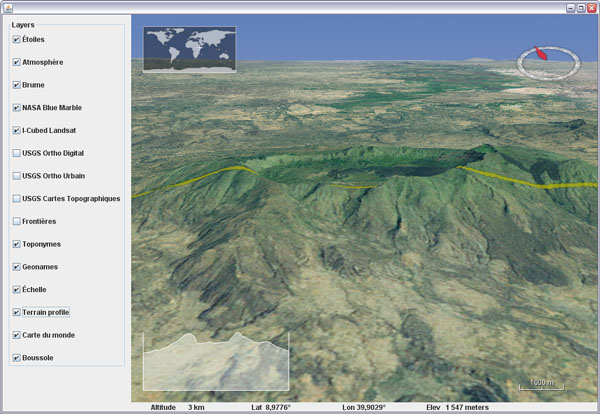
  • An interactive terrain profile tool has been added with a corresponding example.

Before 0.2.5

  • There was a Point class in 0.2.0 which has been replaced with Vec4. Most Point methods are available in Vec4, but with a '3' at the end of the name - eg: getLength3().
  • Some major reorganization has taken place in the packages structure with the addition of many - more categorized, sub-folders.
  • An example package has been added. It contains an application template with some basic components and a growing list of simple applications, each showing a particular feature of the SDK.
  • Applet templates, one using javascript interactions, have been added with appropriate deployment notes in the examples.
  • SurfaceShapes quality and diversity have been improved - see Shapes example.
  • Mouse dragging support of objects has been added - see DraggingShapes example.
  • There has been major enhancements to the OrbitView with, among other things, the addition of ViewStateIterators, Animators and Interpolators. Click on the world map to see it in action or have a look at the WWJApplet javascript API.
  • Memory management and garbage collection have been greatly improved, reducing significantly the memory footprint.
  • Tools to access WMS servers have been added - see WMSLayerManager example.
  • Single image layers have been incorporated - useful for applets faster load-and-start. See StartupImage example and BMNGOneImage layer.
  • Stars, world map, scale bar, fog and sky color layers have been incorporated.
  • Support for runtime statistics has been added - see RuntimeStatistics example.
  • A Worldwind.shutdown method has been added
  • Support of tabbed panes and other potentially tricky UI configurations has been improved - see UsageInTabbedPane example.
  • Ground and air tracks support and rendering has been added - see PipeTracks example.
  • New USGS and Earth Observatory layers have been added.
  • Spherical and ellipsoidal triangle methods have been added to LatLon and Position classes.

There are surely many other improvements and bug fixes i'm forgetting here...

Check this World Wind Java forum thread for the release readme.txt and follow up comments. Also: WorldWind Java home page at NASA Learning Technologies and World Wind Central.

More screenshots:

Tracks and pipes example

Polylines following terrain - Shapes example

Tracks example

WMS Layer Manager example

Terrain profiler example

Anaglyph stereo example

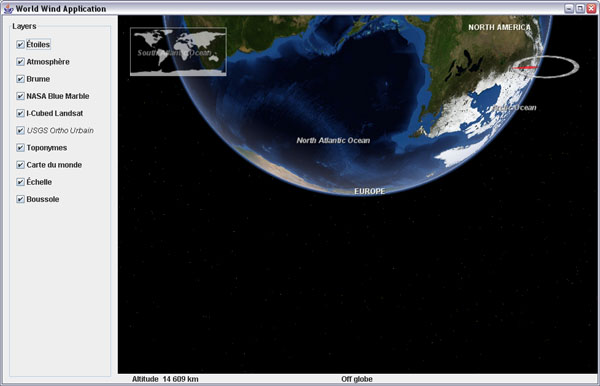
Atmosphere entry over New Zeland

Thursday, October 4, 2007

French geology layer for WWJ

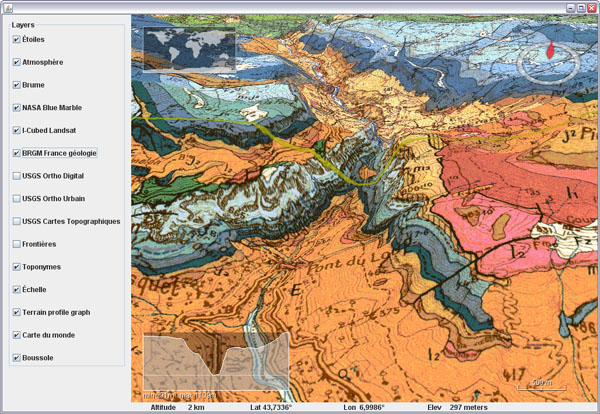
Here is a WMS layer to get access to the french BRGM geology maps in WWJ.


Download BRGMGeologyLayer.java and add it to the worldwind.layers.earth package, after removing the .txt extension. In BasicDemo add the layer on top of I3 Landsat, like the USGS layers. It will start to show tiles under 100km altitude.

This layer was already accessible through the WWXMLLayer code i posted last may, but some major refactoring have occured inside the SDK since then and i havent migrated the code yet.

Tuesday, October 2, 2007

Real time terrain cross section in WWJ

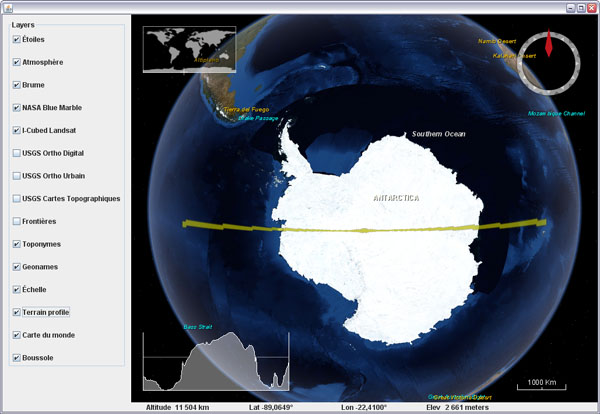
What does Antarctica looks like if you slice it in two?

Here is a fun visualization tool prototype layer for WWJ. It displays a real time terrain profile in a screen corner. The section plane itself will either follow the view position or the mouse cursor, allowing you to 'scan' entire continents, oceans and mountain ranges at any scale in a single hand gesture.


Download TerrainProfileLayer.java (updated oct. 30) and add it to worldwind.layers.earth, after removing the .txt extension. In BasicDemo, add the layer before or after the compass. Important: this layer implements a PositionListener and needs to have its event source set before it will operate:
new BasicDemo.LayerAction(new TerrainProfileLayer(), true),
new BasicDemo.LayerAction(new CompassLayer(), true)
...
for (BasicDemo.LayerAction action : layers) {
   ...
   if (action.layer instanceof TerrainProfileLayer)
      ((TerrainProfileLayer)action.layer).setEventSource(this.wwd);
}


You can set the profile graph to maintain the distance/elevation proportion to have exact slopes (not the case in the above screenshot though), but it is a lot less fun for wide range sections.